
No signup required
Free Bulk YouTube Playlist & Channel Transcript Downloader
Paste a YouTube playlist or channel link, or add a list of video links. Choose the videos you want and download their available captions in bulk.
- Playlists, channels, or video links
- Uses YouTube captions
- Timestamps in SRT
- Process a whole playlist
Start with all the videos selected, or pick the ones you want.
- Keep the original order
Keep the order shown in the playlist, channel, or list of links.
- Save what’s ready
Download successful transcripts from a partial batch.
- Five file formats
Save transcripts as TXT, Word, PDF, CSV, or SRT.
How to download playlist or channel transcripts in bulk
Add a playlist or channel link
Paste a YouTube playlist link, channel link, or @handle. For individual videos, choose Video links and paste one link per line.
Choose videos
Review the videos in order and select the ones you want.
Download transcripts
Save the ready transcripts as one text file or as separate files in a ZIP.
- Selected:
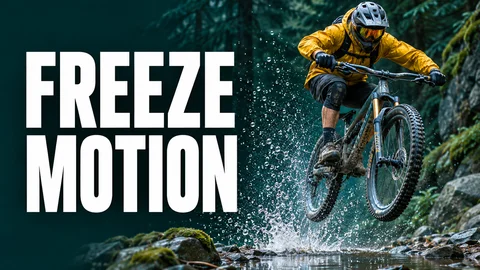 Freeze Action With Shutter Speed
- Selected:
 Shoot Golden-Hour Portraits
- Not selected:
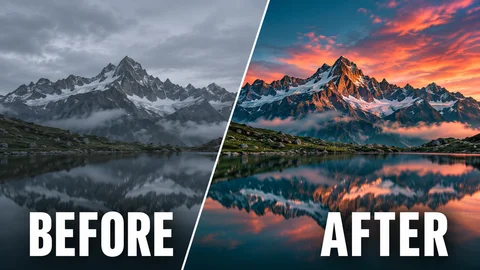 Give Landscapes a Cinematic Color Grade
2 of 3 videos selected
Download bulk YouTube transcripts your way
Combined TXT
One text document with a heading and a source link for each ready video.
Files for each video
Download separate TXT, Word, PDF, or CSV files in one ZIP.
SRT ZIP
Separate subtitle files with the original start and end times.
photography-transcripts.txt1. Freeze Action With Shutter SpeedStart at 1/1000 of a second to freeze the rider and the splash.
2. Shoot Golden-Hour PortraitsPlace the sun behind your subject for a warm edge of light around their hair.
photography-subtitles.zip01 Freeze Action With Shutter Speed.srt02 Shoot Golden-Hour Portraits.srt
1
00:00:06,260 --> 00:00:10,140
Start at 1/1000 of a second to freeze the rider and the splash.
Compare YouTube playlist transcript downloaders
With YouTranscripts, you can open the full transcript for any ready video, switch timestamps on or off, and download one video or the whole batch of ready files.
| Feature | YouTranscripts | Other tools |
|---|---|---|
| Free access | Free without an account. Usage limits apply. | Free allowances vary. Larger batches may require an account or payment. |
| Supported links | Playlist, channel, or a list of video links | Supported links vary. Some tools accept playlists only. |
| Transcript formats | TXT, Word, PDF, CSV, and SRT | Formats vary. Word and PDF may be unavailable. |
| Full transcript viewer | Read, copy, or download one ready transcript. Show or hide timestamps. | Some tools open a separate page to read a single transcript. |
| Batch downloads | Combined TXT or a ZIP in your chosen format | Some tools offer only a ZIP or one combined file. |
Features and limits vary by tool. YouTranscripts uses available YouTube captions.
What can you do with bulk transcripts?
Study a course
Read and search lessons in their original order.
Research a YouTube channel
Choose public uploads on a topic and keep each source link with its transcript.
Review a podcast series
Search multiple episodes in one text file.
Edit subtitles
Keep a separate timed SRT file for each supported video.
What the tool can read
Public playlists, channels, and videos
Use videos that can be opened publicly and have creator-uploaded or auto-generated YouTube captions.
When a video is skipped
The results show which videos have no captions or could not be opened. You can still download the transcripts that are ready.
Frequently asked questions
Is the bulk YouTube playlist transcript downloader free?
Yes. Download available transcripts from playlists, channels, or individual videos for free without an account. Choose TXT, Word, PDF, CSV, or SRT. Usage limits apply.
How do I download transcripts from a YouTube channel?
Choose Playlist or channel and paste a public channel link or its @handle. Click Load videos, select the uploads you want, and click Get transcripts. Download the available captions as one TXT file or a ZIP of separate files. Size and usage limits apply.
Can I paste several YouTube video links?
Yes. Choose Video links and paste one link per line. If you paste the same video twice, we keep its first place in the list.
Can I download an entire playlist at once?
You can select the whole playlist and download the transcripts that are ready together. Very large playlists can pause when they reach a size or usage limit. Save what’s ready, then continue with the remaining videos.
Can I read or download just one transcript?
Yes. Choose Open transcript next to a ready video. You can scroll through the full transcript, show or hide timestamps, copy it, or download a file for that video.
Does it work with private playlists?
Use a publicly accessible playlist. If you can share public links to individual videos, paste those into Video links.
What if a video has no captions?
When YouTube shows no captions, the result says No captions and skips that video. If we can’t tell whether captions are available, the result gives you a retry. You can still download the ready transcripts.
Can I download subtitles with timestamps?
Yes. Choose SRT for subtitles or CSV for a spreadsheet with caption times. If timing is missing, choose TXT, Word, or PDF.
What language will I get?
Each result shows its caption language when known. A batch can include transcripts in more than one language.
Can I download a partial batch?
Yes. Download the ready transcripts even when another video is unavailable, has no captions, or needs a retry.